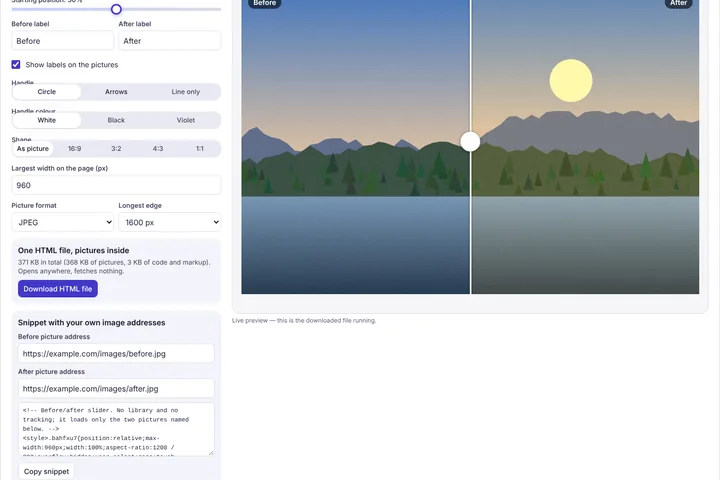
Turn a before and an after picture into a draggable comparison slider for a web page — no plugin, no account and no hosting: download a single HTML file with the pictures inside, or copy a snippet that uses your own image addresses.
Two ways to take it away
The HTML file holds everything — both pictures as embedded data, the styles and under two kilobytes of script — so it opens offline, can be attached to an email, or uploaded anywhere as a single file. It makes no requests at all. The size is shown as you change the settings; above 2 MB the page suggests JPEG or a smaller longest edge.
The snippet is for a site you already run. Upload your two pictures there as usual, paste their addresses into the two fields, and copy the code into a WordPress “Custom HTML” block, an Elementor HTML widget or any page. It loads only those two pictures.
Accessible by default
The divider is a real slider for assistive technology: it has the slider role, announces its position as a percentage, and moves with the arrow keys (Shift for bigger steps) and Home and End for the ends. It works with a mouse, a finger or a pen, and each picture keeps the label you give it as its alternative text.
Yours to use
The generated code is yours to use on any site, commercial or not, with no credit line and nothing that phones home. The preview on this page is the downloaded file itself running in a sandboxed frame, so what you see is exactly what you get.