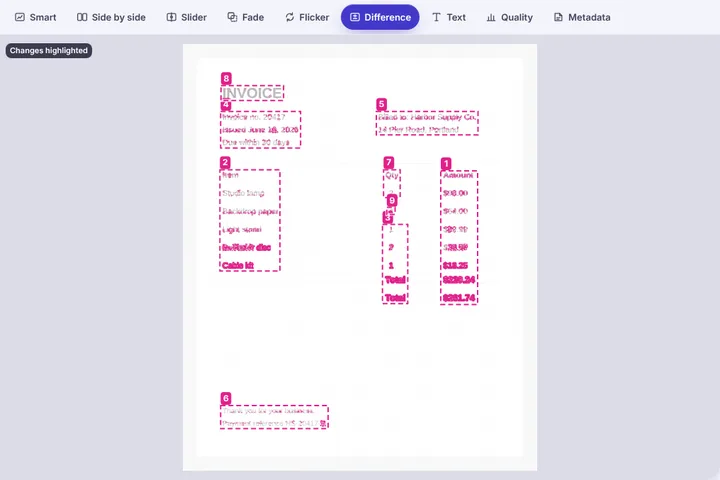
Check whether two scans or photos of a document say the same thing: straighten and flatten them first, then read both, list the words and numbers that changed, and see the changed areas on the page.
Line the pages up first
Two scans of the same page are never placed identically: the paper sits at a slight angle, or a phone photo looks down at it from one side. Comparing them as they are lights up every line of text. The panel measures each page's tilt from its lines of text and offers to straighten it; for a phone photo, drag four handles onto the corners of the page and it is stretched back into a flat rectangle. Each fix makes a corrected copy in this tab and compares that — your file is untouched.
Read both, then diff the words
The Text view reads both pages with Tesseract running in your browser, in English or one of ten Indian languages — Hindi, Marathi, Bengali, Tamil, Telugu, Gujarati, Kannada, Malayalam, Punjabi and Odia — and lines the words up. Changed, added and removed words are marked on both pages, and the Numbers tab lists every amount, date and percentage that differs, which is usually the point of checking a contract, an invoice or a form.
Scans taken from a PDF work too: choose the page number under the buttons before adding the file. This handles PDFs whose pages are stored as pictures, which is what scanners and scanning apps make; a PDF typed in a word processor has no picture to take, and the page says so.
Sensitive papers stay on this device
Bank statements, Aadhaar and PAN cards, agreements and medical letters are handled exactly like any other picture here: decoded, straightened and read inside this tab, with no server that could receive them. Comparing two versions of your own document is the only thing this page does with them.