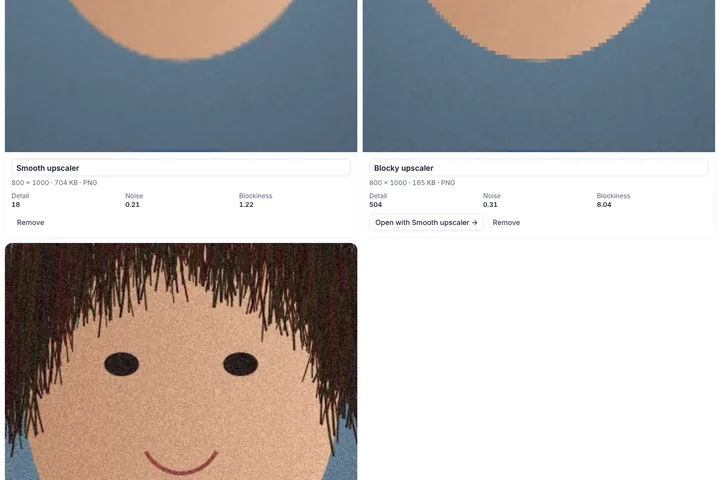
Put two to four results from image generators, upscalers or editors in one grid, zoom into the same spot on all of them at once, and read detail, noise and compression-artefact figures for each — without anyone handing out a single score.
Same spot, every output
The differences between generators and upscalers live in the details: hands, text, hair, the texture of skin or fabric. The grid keeps every output at the same zoom and position, so dragging or double-clicking in one moves them all; the loupe underneath magnifies the exact spot under the pointer in each output side by side.
Give each output the name of the tool or setting that made it, and write the prompt once. Both go into the grid picture and the JSON export, so the comparison still makes sense when it is shared a week later.
Measured, not ranked
Each output is measured on its own at a common size: fine detail, noise and JPEG-style blockiness. There is no total score and no “best model” badge, because the right result depends on the job — a smooth upscale can be right for a poster and wrong for a product photo with fine print.
If one picture is the source or the result you were aiming for, set it as the reference. Every other output is then compared with it — changed share, structural similarity and numbered regions — and the local visual-similarity model can add how close each one is in content.
What this page will not do
It does not try to tell whether a picture was made by AI. Detectors for that are unreliable and easy to fool, and a wrong answer can harm a real person, so none is offered here. It also does not judge which output is more beautiful.