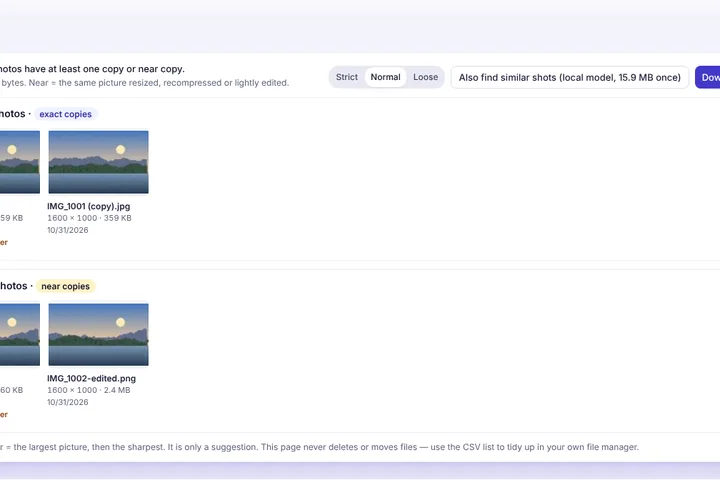
Choose a folder or a pile of photos and get them back in groups — exact copies, the same photo saved again at another size or quality, and, if you like, near-identical shots — with a suggested keeper in each group and a list you can export.
Exact copies and near copies
Exact copies are the same bytes under different names — a photo downloaded twice, or copied to a second folder. Each file's SHA-256 fingerprint finds those with certainty.
Near copies are the same picture saved again: the WhatsApp version of a camera photo, a resized upload, a PNG export of a JPEG. Their bytes differ, so each photo also gets two 64-bit perceptual hashes from a small working copy; photos whose hashes are within a few bits of each other are grouped. The Strict, Normal and Loose settings move that limit.
Similar shots, if you want them
Bursts and “one more just in case” shots are not copies, but you may still want to keep only one. The optional similar-shot pass runs the small visual-content model this site already uses for image similarity, on this device, and groups photos whose content is very close. It is off until you ask, and the model is downloaded once.
Read-only on purpose
Nothing is deleted, moved or renamed — the browser only reads the files you chose. Each group marks a suggested keeper (the largest, then the sharpest) as a suggestion; pick any two photos to compare them in full, then export the CSV list and tidy up in your own file manager with the list beside you.