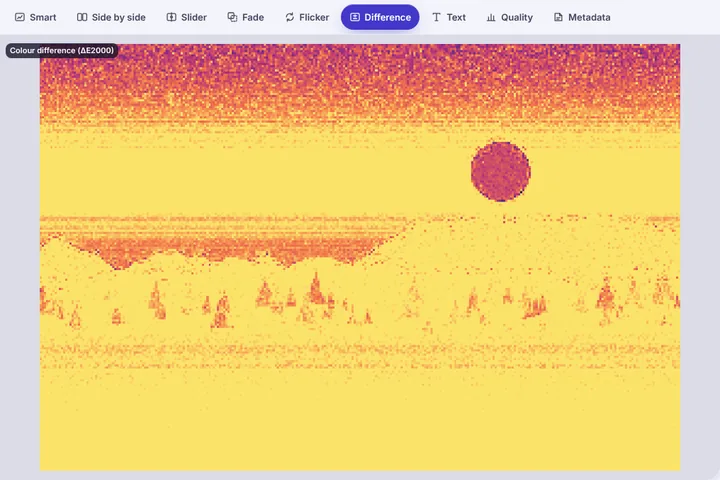
See where the colours of two pictures differ and by how much: a ΔE2000 map, each dominant colour of A paired with B's nearest, a plain sentence about warmer, cooler, lighter or more saturated, and both pictures as colour-blind viewers would see them.
What ΔE means in practice
ΔE is the distance between two colours in a space built to match human vision. With the CIEDE2000 formula used here, a ΔE under about 1 cannot be seen, 1–3 is visible only side by side to a careful eye, and above 10 the two are plainly different colours. The map on the stage colours each area by its ΔE, so a print proof that drifted in the shadows, or a product photo whose red went orange, shows up as a bright patch rather than a hunch.
The panel gives the mean and the 95th percentile. The mean tells you about the picture overall; the 95th percentile tells you about the worst parts, which is usually what a client notices.
Warmer, cooler, lighter, more saturated
Numbers alone rarely settle an argument about colour, so the panel also writes the shift out: lighter or darker (L*), more or less saturated (chroma), yellower or bluer and redder or greener. The white-balance line looks only at near-grey pixels — walls, paper, clouds — and estimates how many kelvin warmer or cooler the light in B looks. It is an estimate from the pixels, not a reading of the scene's light, and it says so.
Checking a change for colour-blind viewers
About one man in twelve has some colour-vision deficiency. A chart, a map or a status badge that changed only from green to red can look unchanged to them. The colour-blind check runs both pictures through standard simulations of protanopia, deuteranopia and tritanopia and reports how much of the colour difference survives — useful when the change has to be noticed by everyone.
Colour profiles are listed in the Metadata view but not converted. If one file is tagged Display P3 and the other sRGB, part of the measured shift may come from the profile rather than the pixels.