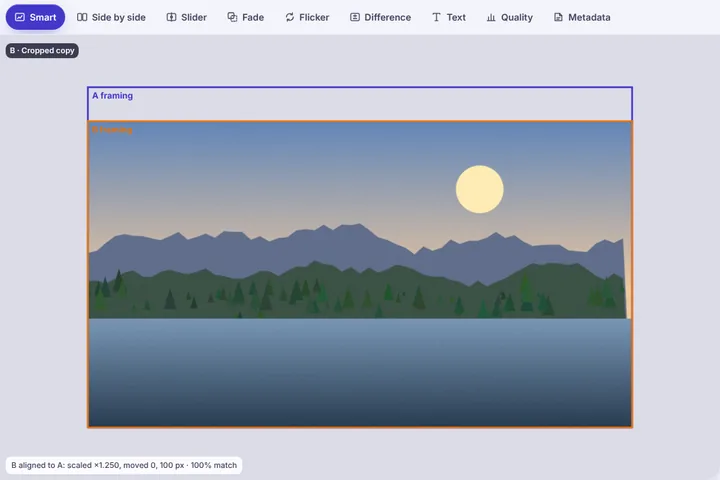
Find out whether one picture is a crop of the other, and how: the overlap drawn on A, the share of A that survives, the aspect-ratio change, any flat borders that were added, and a picture of A with B's footprint on it.
How the crop is found
The workspace searches for where B sits inside A across a ladder of scales, using phase correlation on both pictures. When the match is confident, B's rectangle is placed on A and everything else follows from that rectangle: the share of A's area it covers, the pixels at its corners, the scale between the two, and which sides lost the most.
A crop that was also resized — a 4000 × 3000 camera photo posted as 1080 × 1350 — is found the same way; the panel reports the scale so you know B is a smaller copy as well as a tighter one.
Borders and letterboxing
Sometimes the opposite of a crop happens: a square post gets white bars to fit a story, or a screenshot gains a black band. The edges of both pictures are checked for flat bands of one colour, and the panel writes them out — “B adds 60 px of white at the top and bottom” — so padding is not mistaken for new content.
Proof you can send
“Download A with B's footprint” saves the full picture with everything outside B dimmed and B's outline drawn on, labelled with the share kept and the aspect change. It answers “which part of my photo did they use?” for photographers, agencies and anyone checking a reposted image, without describing anything the pixels do not show.